
一、查询
1.为表起别名as。
select *from ClassId as id --选择ClassId 表,起别名为id(一般因为原来名字太长所以起短一点的别名)
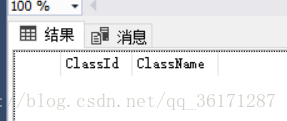
2.查询全部列,指定列。为列起别名as。
select ClassName as 姓名 from ClassId id --选择ClassId表中的ClassName列,结果窗口只会显示该列.可以为该列起中文别名。
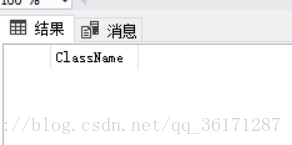
3.查询前N部分数据:
top n 列名:表示查看前n行
select top 1 * from gg --查询gg表第一行的数据
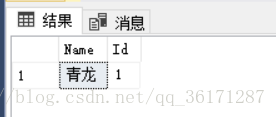
top n percent 列名:表示查看前百分之几的数据。
select top 50 percent * from gg --查询gg表前50%的数据
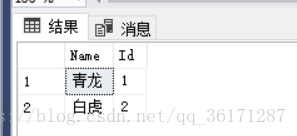
4.排序:order by 列名1 asc|desc,列名1 asc(由小大大)|desc(由大到小)
select *from gg order by Id desc --将gg表由Id列由大到小排序
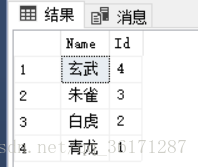
5.消除重复行: distinct
select distinct Id from gg --消除gg表中Id重复的行
6.条件查询:写在where之后。
对行进行筛选,返回bool类型的值。
比较运算符:=,>,>=,<,<=,!=,<>
between...and ...表示在一定的范围之内。 in表示在一个非连续的范围内。
逻辑运算符:and or not
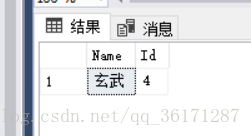
select *from gg where Id=4 --查询gg表中Id列=4的行
select *from gg where Id between 2 and 3 --查询gg表中Id为2和3之间的行

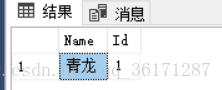
select *from gg where Id in(1,5) --查询gg表中Id为1或5的行
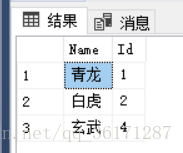
select *from gg where not Id=3 --查询gg表中Id不为3的行
7.模糊查询:用于处理字符串类型的值
运算符包括:like % (表示0到多个) _(表示一个任意字符) [] ^
% 与_写在[]中表示本身的意思
在[]中表示一个连续的范围可以使用 -
^写在[]内部的开头,表示不使用内部的任何字符
null的判断:使用is null或者is not null
例子:select *from gg where Name like '%青%' ---模糊查询,名字里面包含青的
select *from gg where Name like '_虎' ---模糊查询,名字里面第二个字是虎的
update gg set Name =null where Id=2 --将Id为2的名字设置为空

